Keep one year of Messages.
Lose nothing.

Never lose an old conversation. The free Mac app archives your entire Messages history into a portable bundle in your own iCloud Drive — and lets you read it right there. Safely turn on Keep Messages: 1 Year, then open the same archive on your iPhone whenever you like.

Read-only against your Mac No account No server Your iCloud only
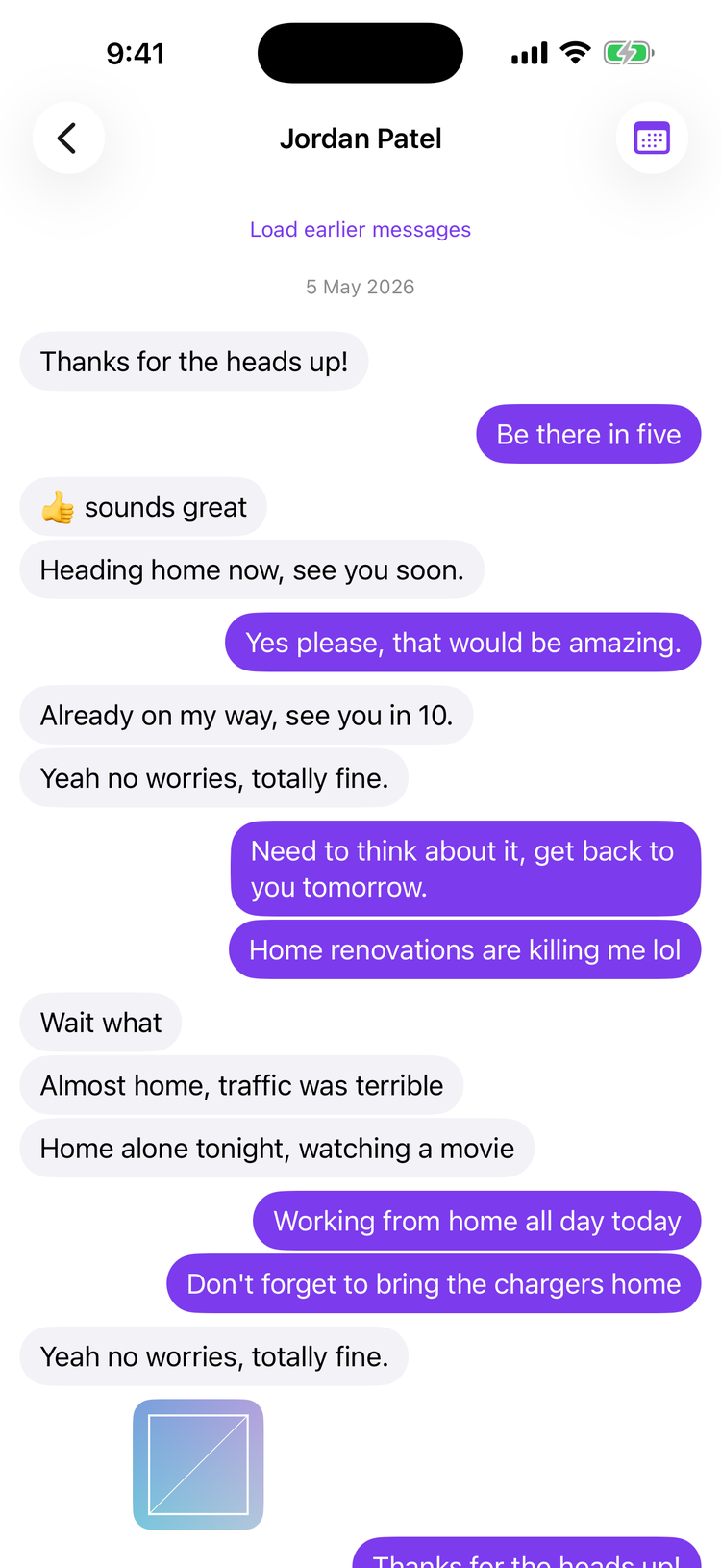
Message Keeper thread view on iPhone showing an archived conversation

Archive once.
Read anywhere.

🖥️
Archive & read on Mac
The free Mac app reads your history read-only, seals it into one portable archive.imarchive bundle — and lets you browse, search, and open attachments right there.
☁️
Syncs via your iCloud
The bundle lives in your own iCloud Drive. It moves between your devices end-to-end encrypted — Honk never sees it.
📱
Read on iPhone too
Want it in your pocket? The iPhone app opens the very same archive — search every word, open every attachment, jump to any year.

Everything that matters

Every chat, every message, every attachment that exists on disk — captured exactly as it was, never modified.

💬
Every chat
1:1 and group conversations alike, sorted by most recent activity.
📝
Every message
Text, timestamps, and sender — in original order.
📎
Attachments
Photos, videos, audio, and PDFs that exist on disk at archive time.
👍
Reactions
Tapbacks grouped by emoji, with a count when several people sent one.
↩️
Replies
Threaded replies preserved in context.
👨‍👩‍👧‍👦
Group chats
Sender names above each message, just like Messages.app.
✏️
Edited & unsent
"(edited)" shown inline; unsent messages marked honestly, not hidden.
🪪
Sender names
Resolved via Contacts where available, otherwise the raw handle.
⚠︎
We're honest about what we can't keep. Stickers, message effects, and GamePigeon games aren't real attachments, so they aren't archived. Messages that were unsent and wiped leave only a tombstone (which is kept). Read receipts aren't stored in the source database, so they can't be captured.

Run it once a year.
That's the whole job.

Apple's "Keep Messages: 1 Year" setting deletes anything older than a year from your Mac. Message Keeper captures it all first — so you can turn the setting on, keep your Mac fast, and never lose a conversation.

After your first archive, the app offers to add a yearly calendar reminder. You verify the archive on Mac and iPhone, then you turn on Keep Messages: 1 Year in Messages settings — the archiver never touches that setting. Each following year, you run the archiver again: it merges only the new messages, deduplicates attachments by SHA-256, and is a no-op for everything already captured.

1
Initial archive
Captures your full history — often 5+ years.
2
Add the reminder
One tap sets a yearly calendar event.
3
Verify on Mac & iPhone
Browse the archive on both. Confirm it's complete.
4
You turn on 1-Year
In Messages settings. Messages prunes old data; your archive keeps it.
5
Re-run yearly
Incremental, idempotent, automatic sync.
🔒

Your messages never leave your devices.
Honk never sees them.

The Mac app is local-only and read-only against your Messages database. The reader — on Mac and iPhone alike — opens the archive from your own iCloud container. There is no server, no account, and no telemetry — the only network traffic is iCloud syncing between your own Apple devices.

Read-only against chat.db No account required No analytics or tracking Personal iCloud only SHA-256 verified

Free on Mac.
99¢ a year on iPhone.

The free Mac app does everything — archive and read. The iPhone app is the same reader in your pocket: $0.99/year, first month free. You never need it to read your archive.

Requires macOS 26+ on Apple Silicon · iOS 26+ · Full Disk Access on the Mac.

New here? Read the 10-minute quickstart →